
From a coffee-in-bed Google search to a StealC-linked campaign — the story behind nailproxy.space
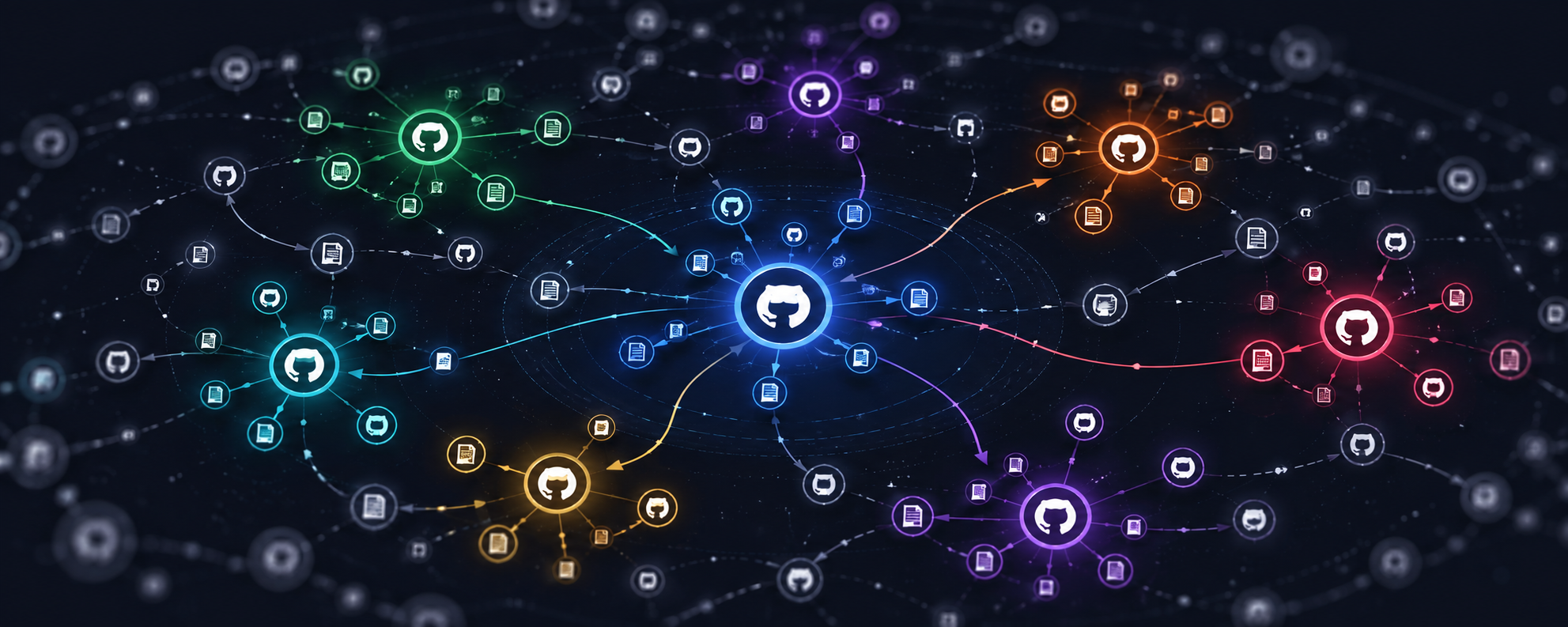
How 19 fake GitHub repositories across 17 accounts led from a Python dropper to a StealC-linked payload chain.

TL;DR: Someone set up 19 fake GitHub repos across 17 distinct accounts*, impersonating popular Python open-source projects — including my own UNICORN Binance Suite. Each repo carried a small Python dropper that contacted* api.nailproxy.space, retrieved a native Windows loader, and ultimately deployed a payload consistent with StealC v2*, including Chrome App-Bound Encryption bypass behavior. When I first wrote about the fake repositories, the* GitHub delivery chain behind them was still undocumented in public reporting. This post covers how I found it, what the malware chain does, and what to do if you ran any of the affected repos.
Update (2026-04-23):
19 fake GitHub repos confirmed across 17 accounts
nailproxy.spaceidentified as the delivery-domain root;api.nailproxy.spaceoperated as delivery C2final-stage payload behavior consistent with StealC v2
GitHub takedown requested
IOCs submitted to ThreatFox/AlienVault and published into the public threat-intelligence ecosystem
Update (2026-07-30): I revisited the infrastructure after the June 2026 Operation Endgame disruption targeting StealC and related malware infrastructure. All 19 GitHub repositories are now gone, but the two documented malware routes on
api.nailproxy.spacestill return the same route-specific responses observed after the original disclosure. This does not prove that the complete malware workflow remains operational, but it shows that the known application routes are still present.Operation Endgame Disrupted 326 Servers. The StealC Backend I Reported Still Responds.
How it started
A few weeks ago I was doing some basic SEO work for my UBS projects.
On a Wednesday morning, still in bed with coffee, I did something most open-source maintainers have probably done at some point: I searched Google for my own project name — in this case, “unicorn binance websocket api” — just to see what showed up.
One of the top results was not mine.
The repository name and description were close enough to my project to be immediately noticeable, but it was not pretending to be my exact repository. It presented itself as a CLI-style wrapper built on top of UBWA.
What triggered the closer look was the social proof.
The repository was only about a month old, had zero issues, zero pull requests, and almost no visible community activity — yet it had already accumulated more stars than my actual project. The fork count also looked suspiciously high, and the overall relationship between age, activity, stars, and forks did not look organic.
That was the point where this stopped looking like a strange third-party wrapper and started looking like something deceptive. Once I started reading the code, it became obvious that this was not just opportunistic naming — it was malicious.
That was the beginning of the rabbit hole.
The initial write-up went up the next day:
At that point I had already confirmed a set of fake repositories and filed a GitHub report. What I did not know yet was what the malware chain actually did after the victim ran the code.
This post is about that part — and about the second question that naturally followed once the first one was answered:
What else is this operator doing, and how much of this campaign is actually visible?
One point is worth stating precisely from the beginning: the GitHub delivery chain was undocumented before this analysis. That does not mean every backend component was unknown. One of the later-stage infrastructure elements — 62.60.226.113 — had already been tagged individually on ThreatFox as StealC-related infrastructure in December 2025. What had not been documented publicly was the connection between that backend and this specific fake-repository delivery chain, or the role of nailproxy.space within it.
The two questions
By the time I sat down to work through this properly, there were two concrete questions I wanted answered:
What does the malware actually do on a victim machine?
It is one thing to say “this is malicious.” It is another to tell affected developers exactly which credentials, sessions, wallets, and tokens they should now assume are compromised.How large is the operation behind it?
The fake GitHub repos were the visible part. I wanted to know whether they were the entire campaign or just one delivery channel for something bigger.
Both questions turned out to be answerable.
A quick note on resources
Before the technical part, one thing is worth saying clearly: I did this on a personal-developer budget, not on a commercial threat-intel budget.
That meant leaning on free tiers and public services where possible, and accepting that some pivots and sample sources would simply be out of reach. A well-equipped threat-intel team could probably have moved faster and pulled in more data from premium services. But most of what follows was still reproducible with public tooling, free APIs, and a few focused hours.
The services that mattered most were:
VirusTotal — for hashes, domains, IP metadata, sample upload, and especially the per-sandbox behavior views
abuse.ch (ThreatFox / MalwareBazaar / URLhaus) — for IOC correlation and public malware context
AlienVault — for IOC correlation and public malware context
Hybrid Analysis — for metadata on dropped files and cross-sample visibility
Shodan — useful in limited ways even on the free tier
GitHub code search — essential for scoping the public-facing repository cluster
crt.sh — for certificate-transparency pivots
And yes, AI-assisted analysis played a real role throughout.
I want to be transparent about that, because it genuinely changed the speed of the work. Writing fetchers, pivoting on new indicators, normalizing data from different APIs, and moving quickly from one lead to the next is exactly where that kind of tooling is useful. Every substantive finding still had to be checked against raw output, but the glue work was dramatically faster.
What the malware does — the kill chain
The chain breaks down into three stages:
a Python dropper embedded in the fake repositories
a native Windows loader
the final payload
Each stage is different, and each answered a different part of the investigation.
Stage 1 — the Python dropper
If a victim clones one of the fake repositories and runs main.py, the entry point is wrapped in an @ensure_env decorator imported from a utils/ module.
That decorator is the trigger.
On first call, it runs a short initialization sequence: operating-system check, Python-version check, architecture check (x64/x86 only; ARM exits quietly), then a delivery handshake to the campaign infrastructure.
The endpoint construction is hidden inside compat.py:
_COMPAT_LEVEL = 194   # disguised as a "compat level"

_API_SCHEMA = bytes([0xAA, 0xB6, 0xB6, 0xB2, 0xB1])
_API_HOST   = bytes([0xF8, 0xED, 0xED, 0xA3, 0xB2, 0xAB, 0xEC])
_API_DOMAIN = bytes([0xAC, 0xA3, 0xAB, 0xAE, 0xB2, 0xB0])
_API_TLD    = bytes([0xAD, 0xBA, 0xBB, 0xEC, 0xB1, 0xB2, 0xA3, 0xA1, 0xA7])
A single-byte XOR against 0xC2 decodes this to:
https://api.nailproxy.space
The HMAC-SHA256 secret used for the handshake is hidden in the same file, presented as a dictionary of “platform hashes”.
From there, the flow is straightforward:
POST /api/v1/auth/sessionreturns a nonce and timestampthe dropper signs the values with the embedded HMAC key
POST /api/v1/data/syncreturns an AES-GCM-encrypted blobthe Python code decrypts it
checks for an
MZheaderwrites it to
%TEMP%\~DF<random>.exelaunches it with
CREATE_NO_WINDOWdeletes the executable afterwards
There is no console window and usually nothing obvious for the user to notice.
One detail stood out immediately: four of the five utils/*.py files were byte-identical across the fake repositories I confirmed. Only compat.py varied — and even that varied in a controlled way, with the same exact file size and the same purpose. The logic remained the same; the constants rotated just enough to break simple file-hash matching.
That is not an accidental copy-paste mess. That is deliberate operational design.
Stage 2 — the loader
The decrypted payload is a Windows PE64 executable of roughly 11.1 MB that masquerades as sysconf.exe.
Its metadata is designed to look harmless: fake Microsoft-style branding, fake service names, plausible-looking version information. In Task Manager it would not look immediately suspicious to most users.
What made this binary interesting was how little static visibility it offered.
I got no useful YARA hits against a large public ruleset covering major commodity stealers.
FLOSS recovered nothing meaningful — no clear strings, no stack-built strings, no easy decoded artifacts.
It had no prior public submissions when first uploaded for analysis.
At the same time, capa still exposed important structural clues:
FNV-style API hashing
PE export-table walking
ChaCha20/Salsa20-related capability signals
multi-layer XOR behavior
evidence of a command/interpreter style architecture
a heavily opaque PE layout dominated by a large
.datasection
That combination strongly suggested a custom or private loader, not a commodity off-the-shelf first stage.
What it did not justify, on its own, was a direct family attribution to Rhadamanthys or anything else. The architecture was loader-like and heavily obfuscated, but the value here was in understanding its role in the chain, not in forcing a family label where the evidence was thinner than the behavior.
Stage 3 — the final payload
Static analysis of the loader only got me so far. The next step required dynamic behavior.
When I first uploaded the sample to VirusTotal, the top-level behavior summary was misleadingly empty: no visible process tree, no DNS, no obvious file writes, no network activity.
The per-sandbox view told a different story.
Some sandboxes were clearly being detected and evaded. One of them — CAPE — made it far enough to reveal the full chain:
sysconf.exe
  ├── drops: msedgeview.dll
  ├── launches: rundll32.exe msedgeview.dll,#3
  └── launches: chrome.exe --disable-gpu --no-sandbox --disable-extensions
                 --user-data-dir=%TEMP%\v20_0000FF100B60 about:blank
That behavior matters.
The dropped DLL was small — about 55 KB — compared to the 11 MB loader that delivered it. That size imbalance strongly suggests the loader’s job is primarily staging, anti-analysis, and controlled execution rather than carrying the final value itself.
The Chrome launch line is even more important. The temporary v20_... profile path is highly characteristic of modern browser-theft workflows targeting Chrome App-Bound Encryption, introduced in recent Chrome builds. Instead of trying to decrypt protected secrets directly, the malware abuses Chrome’s own execution context to do it.
The network behavior showed two distinct roles.
Delivery infrastructure
https://api.nailproxy.space/api/v1/auth/session/api/v1/data/sync
Exfiltration / tasking infrastructure
https://62.60.226.113:6673https://spellmarketplace.club
Both exfiltration endpoints used the same path style:
/<24-character-alphanumeric-id>/[h|g|u]
So api.nailproxy.space appears to be the delivery channel, while the actual post-infection communications go elsewhere.
Payload attribution: consistent with StealC v2, high-confidence inferred
The strongest attribution signal came from the exfiltration side.
The IP 62.60.226.113 had already appeared in public StealC-related reporting on ThreatFox before this GitHub campaign became visible. Combined with the observed behavior — DLL execution via rundll32, browser abuse for Chrome decryption, geolocation probes, the URL-path shape, and the overall post-infection flow — the final-stage behavior is best described as consistent with StealC v2.
The evidence for that inference is:
62.60.226.113had already been tagged independently on ThreatFox as StealC-related infrastructurethe URL-path schema
/<24-char-alnum>/[h|g|u]matches documented StealC-style behaviorthe Chrome App-Bound Encryption bypass pattern matches documented StealC v2 reporting
the
rundll32-based DLL execution and geolocation probes match public StealC v2 tradecraft descriptionsthe overall anti-analysis and post-infection behavior fit the same profile
What I am not claiming is a direct family signature match for the final DLL. I did not get a direct public YARA hit tying this exact sample to StealC, and I did not independently unpack and reverse the DLL itself. The attribution is therefore best framed as high-confidence inferred from infrastructure correlation and behavioral overlap, not as a direct code-signature confirmation.
That distinction matters.
What a victim should assume is exposed
Based on the observed behavior plus public StealC v2 reporting, a victim should assume exposure of at least the following categories of data:
saved browser credentials
browser cookies and active sessions
autofill data and browsing history
browser-based wallet-extension data
desktop wallet files where present
Telegram Desktop session data
Discord tokens/session artifacts
locally stored credentials for developer, cloud, VPN, FTP, or remote-access tooling
files in user directories, depending on configuration and operator choices
For the likely audience of these lures — developers, traders, crypto-adjacent users, and technically comfortable individual operators — that combination is severe.
If a victim used browser-based exchange sessions, API keys, local wallets, cloud credentials, or developer tokens on the affected machine, they should assume those assets are compromised until proven otherwise.
How large is the backend?
This part was informative in a different way.
The GitHub-facing cluster
Based on the available code-search pivots, the public GitHub repository cluster appears bounded for now.
A code search against three distinctive comment strings from the byte-identical utils/*.py modules returned exactly the same 19 repositories across all three queries. That is strong convergent evidence for the public-facing scope.
There are important caveats:
GitHub code search only covers public repositories
very recent repositories might not yet be indexed
private repositories would not appear
repositories already removed during the takedown process would not appear
Within those limits, the cleanest statement is:
19 confirmed public repos, likely complete for the publicly visible and indexed scope at the time of analysis.
Those 19 fake repos were spread across 17 distinct accounts, with two accounts contributing two repos each.
The real infrastructure
The exfiltration side was more interesting.
The IP 62.60.226.113 appears to sit on shared hosting infrastructure rather than on a dedicated operator-owned host. In other words, it should not be treated as a unique single-campaign asset. That matters because over-pivoting on the IP alone would create noise and false positives.
At the same time, I found evidence of at least one additional loader sample associated with the same broader operator pattern and the same spellmarketplace.club exfiltration side, but not obviously delivered through the same GitHub repo chain.
That suggests the fake GitHub repositories are likely one delivery channel, not the whole operation.
Timeline
| Date | Event |
|---|---|
| 2025-12-15 | 62.60.226.113 appears in ThreatFox as StealC-related infrastructure |
| 2026-03-05 | spellmarketplace.club appears in operator-linked infrastructure timeline |
| 2026-03-12 | the second-level domain nailproxy.space is registered; api.nailproxy.space is later operated as the delivery-C2 subdomain |
| 2026-03-03 to 2026-03-09 | cluster of fake GitHub repositories created |
| 2026-04-18 | stage-3 DLL observed on VirusTotal |
| 2026-04-19 | sibling loader observed on VirusTotal |
| 2026-04-22 | campaign discovered during routine project-name search; first public write-up and GitHub report filed |
| 2026-04-23 | deeper stage-2 / stage-3 linkage established; IOCs submitted to ThreatFox and published there under my ThreatFox user profile |
| 2026-05-05 | submitted IOCs to AlienVault |
What to do if you ran one of these repositories
If you executed main.py or any equivalent entry file from one of the fake repositories on Windows, I would treat that machine as compromised.
In practical order:
Disconnect the system from the network.
Preserve evidence if needed, then wipe and reinstall rather than trying to “clean” it in place.
Rotate every password used in any browser on that machine, prioritizing:
exchange and banking accounts
email accounts
GitHub / GitLab
cloud providers
VPN / SSO
Invalidate active sessions anywhere that supports it.
Revoke and reissue API keys, including exchange, cloud, CI/CD, GitHub, and PyPI tokens.
Treat browser-extension wallets and local-wallet material as exposed and move funds to fresh wallets created on trusted hardware.
Review Telegram, Discord, and other persistent-session apps and invalidate all active sessions.
Inform employers or vendors if any corporate credentials, tokens, or keys were present on that machine.
Speed matters. The longer the gap between execution and response, the greater the attacker’s opportunity to cash out sessions, credentials, and wallets.
IOCs
Hashes
loader (stage 2):
251037ceebfbacd419b663ebcf0e01ec80a2c46dbfc85f66492c8585b481fb8c

stealer DLL (stage 3):
c27590c766583599eac98ed3e20c54e49c792be409f126577e7475294affac1f

sibling loader:
155dc73761ebaab0e4f5c0e18cf09dbd5728ce61361db218a5727355ca8adc1a

stage-1 Python module hashes:
utils/bootstrap.py : 54111f7e5f7aa425704fb45bf79d4e354cfb959f2c22aee6cbb79730d5a6a3aa
utils/http.py      : b3668182408c4078e20c04d03a04804bc9640238361af9a15d44c3950192eedc
utils/integrity.py : 041f48d92b7b410c93c83d8352e3b0c18ca2e10dfce8cbc38748ab862b08982e
utils/__init__.py  : 37380d20800d196e3a20fc98fba80d1365a63acbf9dadad7debc48e157520edd
run.bat            : c5866b202eb5fc7009ee045952d893c1b373d965f9491f8502075de11c132d62
Network
delivery:
https://api.nailproxy.space
/api/v1/auth/session
/api/v1/data/sync

exfiltration/tasking:
62.60.226.113:6673
https://spellmarketplace.club

pre-exfil geolocation probes:
ip-api.com
ipinfo.io
ipapi.co
Repository cluster
The confirmed fake GitHub repositories are listed in the earlier campaign post:
The related IOCs were also submitted to ThreatFox/AlienVault and are now part of the public threat intelligence ecosystem.
Two practical lessons for defenders
Two technical points are worth highlighting for anyone doing similar work.
1. Per-sandbox behavior matters
A summary behavior view can miss the entire chain if some sandboxes are evaded cleanly. In this case, looking only at the top-level behavior summary would have left the sample looking inert.
The useful data came from the per-sandbox views.
2. The best correlation marker is not just the IP
The shared exfiltration host is on shared infrastructure. The more useful operator marker is the combination of:
custom-port HTTPS
the
/<24-char>/[h|g|u]path shapethe
sysconf.exemasquerade patternthe delivery link back to
api.nailproxy.space
That combination is far more useful than the IP by itself.
Final note
What started as a simple self-search for my own project name turned into something much bigger.
First it looked like one fraudulent repository. Then it became a small GitHub campaign. Then the delivery chain opened up into a loader and a final-stage payload consistent with StealC v2.
That progression is exactly why these fake repositories matter.
They are not just repo clones, not just SEO abuse, and not just brand confusion. They are a working malware-delivery channel aimed at the kinds of users who are most likely to have valuable sessions, tokens, wallets, and developer credentials on the same machine.
If you maintain an open-source project, this is a good reminder to occasionally search for your own project name. Sometimes that is all it takes to find the beginning of a much larger problem.
I hope you found this informative and useful.
Follow me on Binance Square, GitHub, X, and LinkedIn, or join Telegram for updates on my latest publications. Constructive feedback is always appreciated.
Thank you for reading, and happy coding! ¯\_(ツ)_/¯
About the author
- I build systems that work — technically sound, security-first, and actually useful to the people who depend on them. Creator of the UNICORN Binance Suite — six open-source Python libraries with 3.3M+ downloads and 390+ dependent public projects — and Keep the Why, an open-source agent skill that preserves the reasoning behind engineering decisions alongside the code. Currently pioneering AI-driven open-source maintenance: running a controlled AI agent that maintains production code and documenting what this shift means for engineering teams. Vienna, Austria 🇦🇹
Comments
Join the discussionNo comments yet. Be the first to comment.
Security Research
Technical security write-ups covering malware, abuse, impersonation, supply-chain risks, and real-world trust boundary failures.