
Keep the Why vs. Claude Code Auto Memory vs. MemoryCustodian vs. AgentsRoom
Four tools that get called project memory. Three questions sort them. One table, as of September 2026.
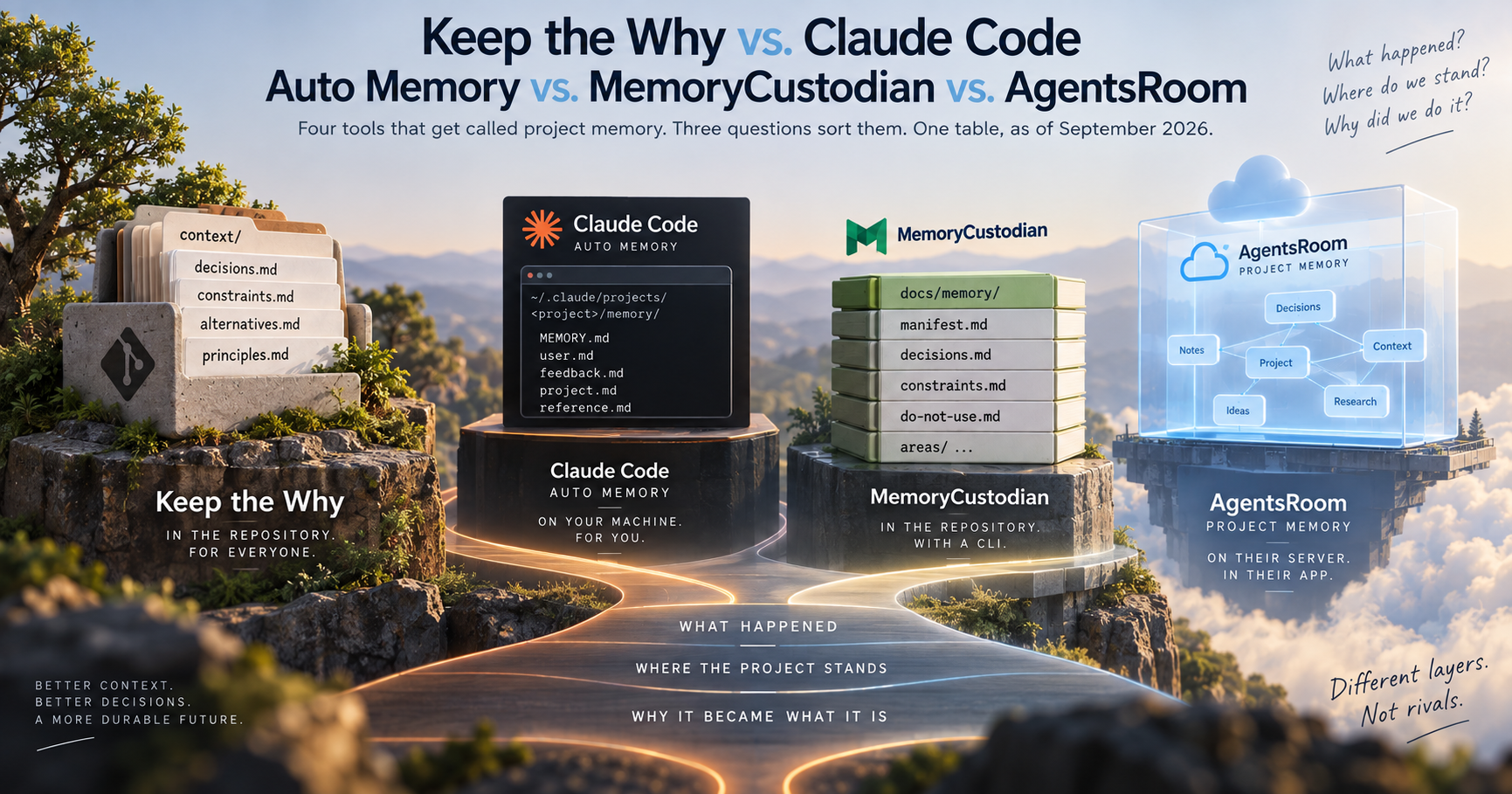
Keep the Why vs. Claude Code Auto Memory vs. MemoryCustodian vs. AgentsRoom
"Project memory for coding agents" now means several different things, and most comparisons put them in one list as if they competed. They mostly don't.
Before comparing tools, ask three questions.
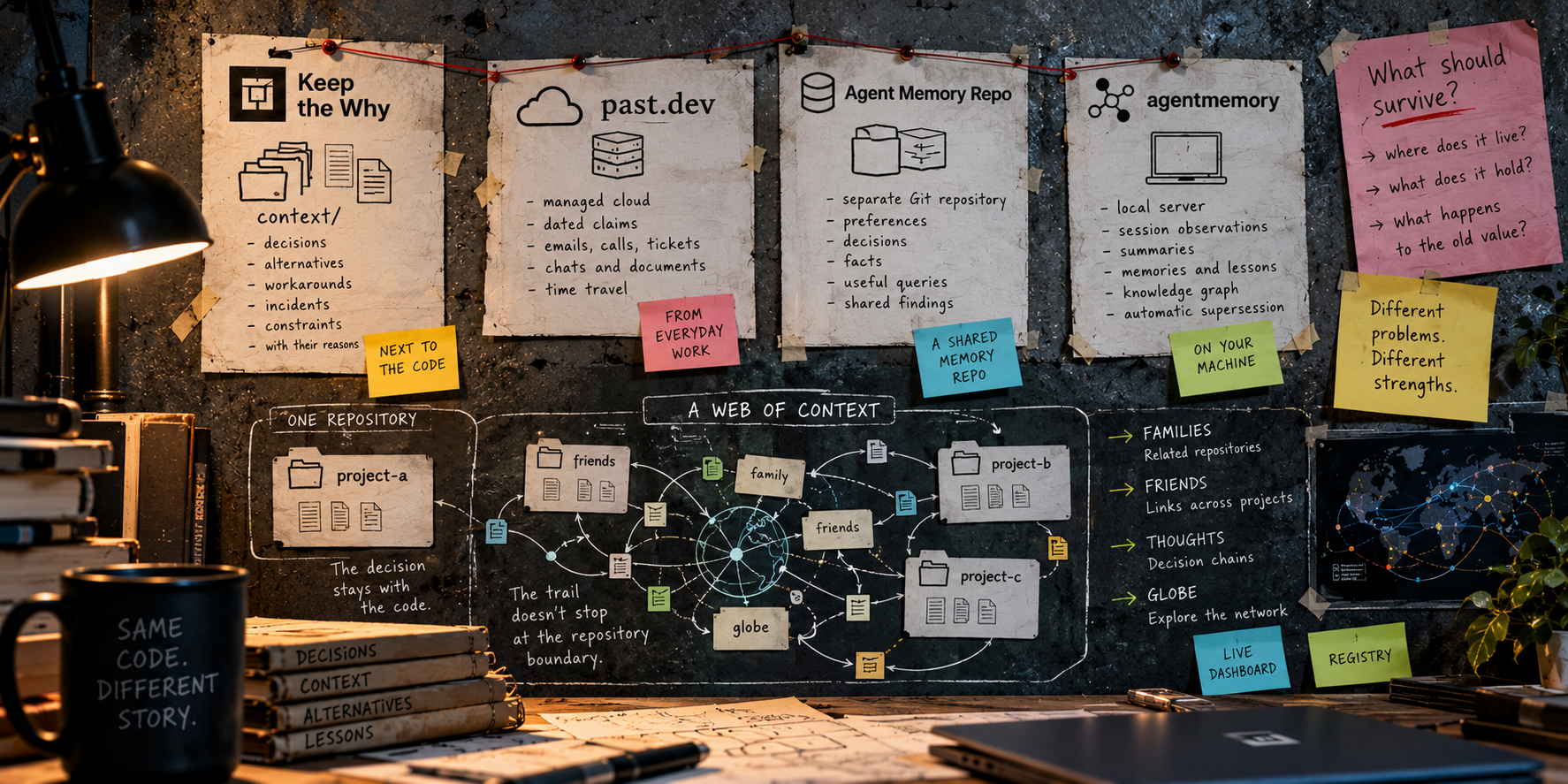
Where does it live? In the repository, in a directory on one machine, or on a server. This decides who gets it with a clone, whether a pull request can review it, and how much of the normal Git workflow applies to the memory itself.
Who can read it? One person, everyone using one particular app, or anyone who can open the repository.
What does it remember? This is the question that gets skipped. A memory can hold three different things, and they are layers, not rivals: what happened (a session, a transcript, a fix that worked), where the project stands (status, next action, what shipped), and why the project became what it is (the decision, the rejected alternative, the constraint the code doesn't show).
Run the names that usually appear in these lists through those questions and most of them leave the room. mem0, Letta, Zep and similar systems are external long-term memory systems centered on what an agent or user should remember across sessions, rather than rationale stored with the repository. Aider, Mastra, Dify and Langflow are a coding agent and frameworks with memory as a feature. Other tools focus on session observations, task state, project plans or summaries.
What is left here is a narrower comparison: two repo-native approaches that preserve durable project knowledge, Claude Code's built-in auto memory, and a server-backed project-memory implementation.
The table
Checked on 2026-10-04 against Claude Code's memory documentation, MemoryCustodian's README, AgentsRoom's Project Memory page, the Keep the Why specification, repository structure, dashboard documentation and registry documentation.
| Keep the Why | Claude Code Auto Memory | MemoryCustodian | AgentsRoom Project Memory | |
|---|---|---|---|---|
| Where it lives | Plain Markdown in context/ inside each project, committed with the repository. .keep-the-why defines the project and its topology |
By default ~/.claude/projects/<project>/memory/ on the user's machine; configurable to another local directory |
Plain Markdown in docs/memory/ in the repository, plus optional private local overlays |
Server-side, keyed to a project id committed in the repo; the desktop app also keeps a gitignored local cache |
| Who reads it | Anyone with the clone, the reviewer in the pull request, any agent that can read the repository, and optionally humans through the read-only dashboard | Claude Code sessions that have access to that memory directory; all worktrees and subdirectories of the same Git repository share it | Anyone with the clone, plus supported agents through the skill / CLI workflow | Everyone logged in to AgentsRoom who opens the project and has the project id |
| Versioned / auditable | Git, alongside the code. Dashboard history is derived from Git | Not by default, unless the configured memory directory is versioned separately | Git, alongside the code, with additional CLI audit and conflict checks | Server-side note history; not Git history |
| Vendor-independent | Open Agent Skills format and plain Markdown; usable by supporting coding agents without a model-specific data store | Auto memory is a Claude Code feature | Plain Markdown plus a Python CLI and agent integrations for Codex, Claude Code, Gemini and generic agents | Provider-agnostic inside AgentsRoom through its MCP server, but the memory service itself is part of AgentsRoom |
| What has to run | Nothing continuously. The skill runs inside the coding agent when needed; linter and dashboard are optional. The dashboard server exists only while you run it, or it can export a static page | Nothing extra; built into Claude Code | A Python standard-library CLI / skill when reading, writing, checking, migrating or maintaining memory; no daemon or external server required | AgentsRoom desktop app, an account and its MCP / server path. Agent memory reads and writes require connectivity |
| Selective loading | context/index.md is a deterministic one-line-per-topic index under a fixed 36-heading skeleton; the agent opens only the topic the task touches. Family scope adds routing between related projects |
The first 200 lines or 25 KB of MEMORY.md are loaded every session; detailed topic files are opened on demand |
manifest.md routes a bounded context pack through task, path and scope, then loads brief.md and only relevant files / areas |
memory_list returns notes and retrieval cues; memory_get fetches individual notes. The app adds fuzzy search over names, cues, bodies and tags |
| What gets written, by whom | Distilled rationale synthesized by the agent: decisions, rejected alternatives, workarounds, incidents and constraints, with stable UUIDs, Status, Evidence and optional cross-entry references. Superseded entries stay | Claude writes user, feedback, project and reference notes for itself. It deliberately skips things it can derive from the codebase |
Typed, evidence-backed project memory with stable IDs, Subjects and Facets. Unconfirmed observations go to inbox.md; the CLI manages superseding, conflicts, forgetting and migrations |
Agent-written notes in architecture, decisions, conventions, pitfalls and features, updated in place by default, with optional append / edit modes and no confirmation step |
| Repository topology | Single repo, shared-context mono repo, isolated-context mono repo, multi-repo families and nested repositories. Families can themselves nest | One auto-memory directory per Git repository, shared across its worktrees and subdirectories | Repository-scoped memory with optional area routing inside the repository; the current documented model does not define a multi-repository family topology | One project memory per project, plus Folder, Account and Agent scopes for knowledge that should span projects |
| Cross-repository model | Family for related projects with explicit routing, friends for independent repositories cited by rationale, and thoughts for chains of cited entries across those projects | No cross-repository relationship model in auto memory | Stable relations exist inside a project's memory, but the current documented model does not define cross-repository citations or a repository graph | Cross-project sharing is handled through Folder, Account and Agent scopes rather than repository-to-repository rationale citations |
| Human view | GitHub renders the Markdown directly. The optional dashboard adds Git authorship and status history, queues, search, timelines, graphs, family, friends, thoughts and the globe. It remains read-only | /memory exposes the files and opens them in an editor; no project-memory graph |
Primarily files and CLI / audit output | Integrated Memory library with editor, fuzzy search, wiki-link graph and visual fading of older notes |
The part that changed most in Keep the Why
Keep the Why started as a deliberately small idea: put durable rationale in context/, keep it in Git, and let the agent maintain it.
That part has not changed. What changed is the topology around it.
A .keep-the-why file now marks a project, and the nearest one above the working directory wins, similar to how Git finds .git. That one rule covers four layouts.
A single repository has one .keep-the-why and one context/.
A mono repository can either share one context/ across the whole tree or give sub-projects isolated contexts of their own.
A multi-repository project can form a family. The parent lists its children with one scope line each, and each child points back to its parent. That relationship is not just for visualization. It is routing: rationale belongs once, in the family member whose scope owns it, and other members cite it instead of copying it.
A nested repository, such as a submodule or vendored checkout, remains its own project. The nearest .keep-the-why wins, so its memory does not leak into the surrounding repository.
Families can nest as well.
That solves the close relationships. Independent repositories use a different mechanism.
A friend is simply another repository cited by an entry through a stable entry UUID and that repository's canonical identity. Nothing is routed or synchronized between friends. The citation is the relationship.
Once entries can cite entries in other repositories, something else appears naturally: thoughts. A thought is a chain of rationale entries where each step cites or supersedes another one. The dashboard can follow those chains through a project, through its family, and into friends.
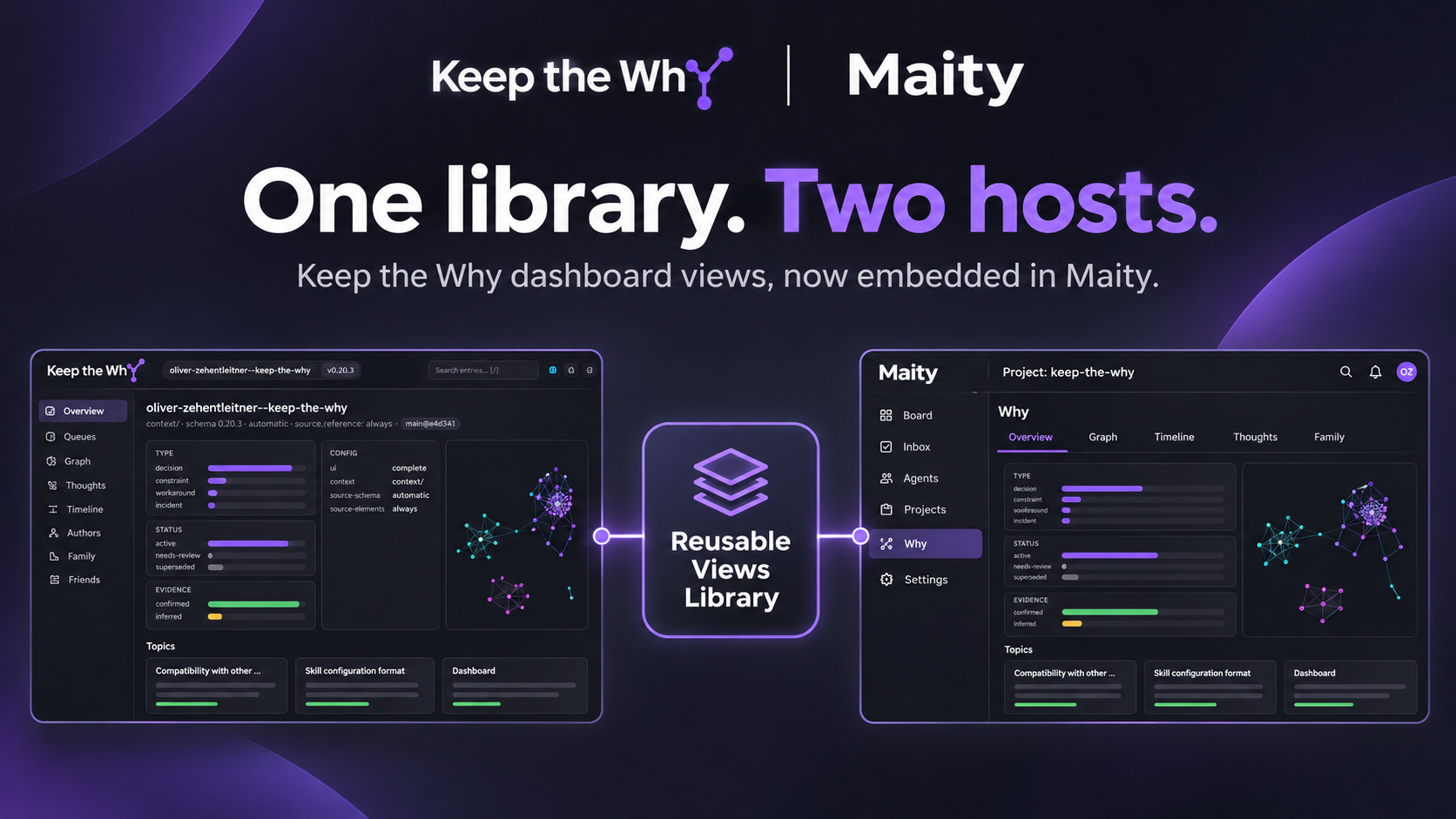
The dashboard is still read-only. Locally it is a view over context/, .keep-the-why, linter findings and Git history. A static export is a rebuildable snapshot, not a second source of truth. Delete the dashboard and the project memory is still the Markdown in Git.
The globe takes that one step further. It loads published dashboard exports as a graph and can walk outward by repository hops. A repository can expose its family and the friends it cites without moving the rationale itself into a central service.
The registry makes public exports discoverable. It stores the project pointers and derived metadata needed by the globe, not the rationale itself. It also provides the direction citations alone cannot: discovery of projects that cite you.
That distinction matters. Family is ownership and routing. Friends are citations. Thoughts are chains through those citations. The registry is discovery. The globe is a view over all of it.
None of those changes the authority model: each repository remains authoritative for its own rationale.
Where the others are better
Claude Code Auto Memory still wins on setup. It is built in, on by default in normal local sessions, and it remembers a layer Keep the Why deliberately leaves out: your role, preferences, corrections and working patterns.
Claude Code has also moved since the first version of this comparison. It can now read AGENTS.md directly as project instructions, so shared repository instructions no longer necessarily need a Claude-specific import workaround. That makes the surrounding project-instruction story more portable, but auto memory itself is still machine-local by default and remains a Claude Code feature.
That is not a defect. It is personal and tool-local memory doing the job it was designed for.
MemoryCustodian is still the closest neighbour, but it has become a much stronger protocol since the earlier comparison.
It is repo-native, plain Markdown and deterministic about loading. It now has stable Subjects and Facets, evidence requirements, candidate memory in inbox.md, path-scoped areas, explicit forgetting, conflict checks, transaction journals, recovery, migrations, audit output and private local overlays.
The design difference is clearer now than it was before.
MemoryCustodian treats project memory as a controlled protocol operated through a CLI. Keep the Why treats the committed Markdown as the memory and the skill as the maintainer of that text. If you want stronger command-level enforcement, structural conflict handling and explicit mutation machinery, MemoryCustodian is the more opinionated tool. If you want the rationale to remain ordinary repository text with Git as the main system around it, Keep the Why stays deliberately thinner.
AgentsRoom Project Memory has the most integrated application experience of the four.
It has fuzzy search, a first-class editor, wiki-links, a graph, five project-memory folders, four scopes, automatic agent capture, update-in-place, append and edit operations, and a useful visual signal for notes that are getting old.
It also solves cross-project memory, but with a different ownership model. Folder, Account and Agent scopes let knowledge span projects inside AgentsRoom. Keep the Why instead keeps project rationale owned by repositories and connects repositories with explicit citations.
AgentsRoom stores Project Memory server-side. The local cache lets the UI show notes offline, but agent memory tools talk to the server on every call. The project id committed in the repository makes the shared memory follow the project inside AgentsRoom, but the notes themselves are not Git objects and are not reviewed in the repository's pull requests.
For a team already using AgentsRoom as the place where its agents live, that is a coherent trade. For a repository that should remain complete without the application, it is exactly the trade the repo-native approach avoids.
What Keep the Why doesn't do, on purpose
No similarity search. Retrieval is the index, topic names and explicit references. Entries are synthesized and read as Markdown, not embedded and ranked. Any external search tool can index
context/; Keep the Why does not require one.No server as the source of truth. Family, friends, thoughts, dashboard exports, the registry and the globe add views and relationships without moving ownership away from the repositories. A published
state.jsonis derived output. The canonical rationale is still the project's committed Markdown.No automatic "this reasoning is stale" oracle. Entries can carry
Revisit when, statuses such asneeds-review, and evidence state. The dashboard queues them, but it does not decide that an old decision is wrong merely because time passed. Age is a signal; validity is a project judgement.No semantic commit gate. The linter checks structure, references and security properties, not whether a decision is good. Prevention happens earlier, in the session, by giving the next agent the reason before it proposes the same rejected path again. In the retry-wrapper experiment, 7 of 10 fresh sessions proposed the rejected simplification without the recorded rationale; with the entry present, 0 of 10 did (the experiment).
No UI that becomes another knowledge store. GitHub can render
context/directly. The dashboard adds a much richer read-only view over the same data and its Git history, including family, friends, thoughts and the globe, but writing still happens in the repository.
The reasons for those choices are in the FAQ.
The part that is true of all four
Every one of these tools lives on the quality of what gets written into it.
A server full of notes, a MEMORY.md, a protocol full of stable IDs, or a context/ full of Evidence fields is not useful merely because it persists. None of them can recover reasoning that was never captured, and none can guarantee that a claim remains true forever.
The differences are in what gets written, who owns it, how it is retrieved, and what happens when the project grows beyond one session, one machine or one repository.
Keep the Why's answer is deliberately narrow: preserve the reasoning behind the code as structured Markdown owned by the repository. The agent synthesizes rather than records. A rejected alternative is stored as a rejected alternative with the reason it lost, not as a transcript a later reader has to interpret.
The newer family / friends model extends the same rule instead of replacing it. Related repositories can be routed as one family. Independent repositories can cite each other. The dashboard can connect those citations into thoughts and walk them through the globe. The registry can make published projects discoverable.
But Git still owns the memory.
Session memory remembers what happened. Project state remembers where the project is. The why layer remembers why it became what it is.
Three layers. Pick one tool per layer if you need all three, and don't let a comparison, this one included, tell you they are rivals.
I hope you found this informative and useful.
Follow me on GitHub, Bluesky, Mastodon, X, and LinkedIn, or join Telegram for updates on my latest publications. Constructive feedback is always appreciated.
Thank you for reading, and happy coding! ¯\(ツ)/¯
About the author
- I build systems that work — technically sound, security-first, and actually useful to the people who depend on them. Creator of the UNICORN Binance Suite — six open-source Python libraries with 3.3M+ downloads and 390+ dependent public projects — and Keep the Why, an open-source agent skill that preserves the reasoning behind engineering decisions alongside the code. Currently pioneering AI-driven open-source maintenance: running a controlled AI agent that maintains production code and documenting what this shift means for engineering teams. Vienna, Austria 🇦🇹
Comments
Join the discussionThe three-layer split makes a lot of sense. I’ve hit this with agents too — session notes pile up fast, but the decisions that matter are usually the “why”.
Exactly. Session memory grows quickly because almost everything can feel useful in the moment, but only a small part of it deserves to survive as durable project knowledge.
For me, the interesting part is deciding what gets promoted into the why layer - and preserving the reason, not just the outcome.
If you run into this regularly, I'd be very interested in your feedback on Keep the Why. It's built specifically around that distinction: https://keepthewhy.com
The lifecycle of a stored decision seems like an important fourth question alongside where it lives, who reads it, and what it remembers. A rationale can be perfectly accurate when written and still become misleading after the architecture, dependencies, or business constraints change. At IT Path Solutions, we’ve found that durable context becomes much safer when the agent can distinguish between an active decision, a superseded one, and a decision that needs revalidation before reuse. That could make the “why” layer more than historical documentation—it becomes a piece of context with its own validity state. Otherwise, preserving the reasoning can solve one problem while quietly creating another: an agent confidently applying yesterday’s correct reasoning to today’s different system.
Exactly - and that's one of the reasons Keep the Why gives rationale an explicit status instead of treating every stored decision as permanently valid.
A decision can be active, superseded, or otherwise no longer applicable, while the old reasoning is still preserved rather than deleted. That way the agent can see both the current rule and the path that led there.
The lifecycle is part of the specification: https://keepthewhy.com/specification/
Durable context only helps if the agent can also tell whether that context is still authoritative today.
The distinction between remembering what happened, where the project is, and why a decision was made is probably the most useful way I’ve seen to think about agent memory.
I also liked the emphasis on the quality of what gets written rather than simply having a bigger memory store. A huge collection of transcripts isn’t very helpful if an agent still can’t understand which decisions are actually important.
The idea of keeping architectural rationale alongside the code in Git feels especially practical for teams, since it makes the “why” reviewable and versioned just like the code itself. Great read!
Thank you! :)
Yes, if we're already using AI, it makes sense to let it synthesize and compress the knowledge instead of just storing more raw history.
In practice, keeping context/ in Git is especially useful when it lands in the same PR as the code, because the rationale becomes part of the review itself.
Keep the Why is actually fairly complete at this point. What I'm missing most now is real-world testing and feedback. I'd be very happy if you gave it a try and shared your experience with me.
Watched a sharp left.running walkthrough on this kind of workflow lately. Clean build not hype. https://www.youtube.com/watch?v=Zp_F0BkqSoI
"Every one of these tools lives on the quality of what gets written into it" so true!
Great analysis on project memory for coding agents! The comparison between Claude Code auto memory and MemoryCustodian is very insightful.
Thanks! That distinction between local auto memory and repository-native project memory is exactly what I wanted to make clearer with the comparison.
Distinguishing between auto-captured session context and intentional architectural rationale is the biggest dividing line here. When tools conflate transient task memory with long-term codebase decisions, context windows get cluttered with ephemeral debugging steps instead of lasting design constraints. Keeping durable project rules separate from rolling execution state makes agent suggestions much more consistent across multi-day tasks.
Yes, exactly. The separation between transient execution state and durable rationale is the important part for me too.
Debugging steps can be useful in the moment, but architectural constraints need a much longer lifetime. Mixing both into one memory layer makes it harder for agents to know what is temporary and what should still matter weeks or months later.
This is a genuinely useful frame -- asking where it lives, who reads it, and what it remembers before comparing tools by name cuts through a lot of the noise these comparisons usually have. One gap I couldn't find addressed anywhere in the piece, the FAQ, or the spec: all four tools scope rationale to a single repository, but plenty of real decisions span repo boundaries -- a shared platform library's design choice constrains what a dozen downstream consumer repos are even allowed to build, and none of the four seem to have a way to surface or link that upstream rationale into a consumer repo's own context or memory. Drawing on our own multi-repo agent-orchestration work, that becomes a real gap once an org has more than a handful of repos with agents working across them: an agent in the consumer repo has no route to the "why" unless a human manually copies or links it over. Is that a deliberate single-repo boundary for Keep the Why, or just not solved yet?
That's a very good point, and it's something I've already been thinking about.
Today, Keep the Why deliberately keeps context/ inside the repository boundary. For multi-repo systems, one future direction is to let a project reference another project's context/ through an explicit URL or project reference, so downstream repos can surface upstream rationale without copying it.
That isn't implemented yet, though. For now, the single-repo boundary is intentional, while cross-project references are a future feature I want to explore.
A small update since my original reply: this is now implemented.
Keep the Why now supports single-repo, mono-repo and multi-repo project families. Repositories can explicitly reference each other, while rationale stays in the project where it belongs instead of being copied downstream.
Here is a live multi-repo family with 8 repositories: https://oliver-zehentleitner.github.io/unicorn-binance-suite/keep-the-why-dashboard/#family
So the gap you pointed out was real - and your example is very close to the problem the family model is meant to solve now.
Appreciate you coming back to close the loop on this. Explicit references over copying is the right call — copying rationale downstream is how it goes stale the moment the upstream decision changes, so keeping the rationale in the owning project and letting consumers reference it is the only version that stays true. Will take a look at the family dashboard. Good to see the single-repo boundary was a "not yet" and not a permanent design choice.
Thanks! I'm working my way outwards from the core functions :)
AI-Assisted Development
Real-world experiences with AI-assisted software development — what works, what breaks, where the limits are, and how AI changes development workflows in practice.